
To check if your order got successfully placed or not, follow the below steps -
- Click on 'Integration Order Report' under manage orders drop down
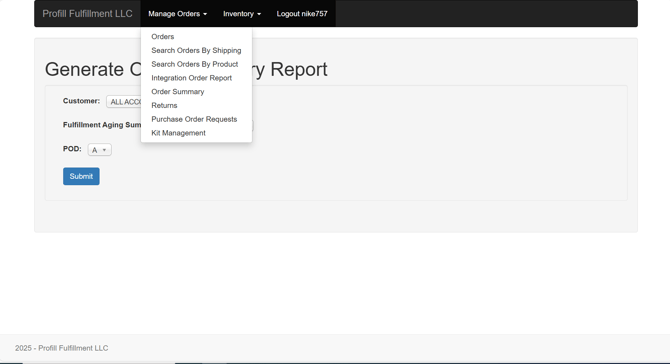
- The Integration Order Report table shows all the orders that have been put in. These orders could be from e-commerce platforms or third-party applications.
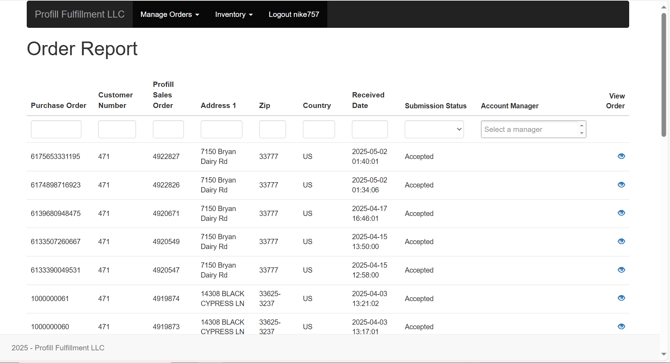
- Each order entry can have one of these 4 statuses
- Received - This means that the order has been entered in the report
- Submitted - Submitted means that the order has successfully entered the order queue
- Accepted - An order moves to this stage when it gets successfully entered in the ERP system. This is where a sales order number is generated
- Error - If there is an error while processing the order in the ERP system, the status shows an error
- In case of an order entry with 'Error' status, please connect with your account manager to get it resolved
Note - Orders from Brightstore don't show up in the order integration report.