
New products can be created in TMG products under Management dropdown
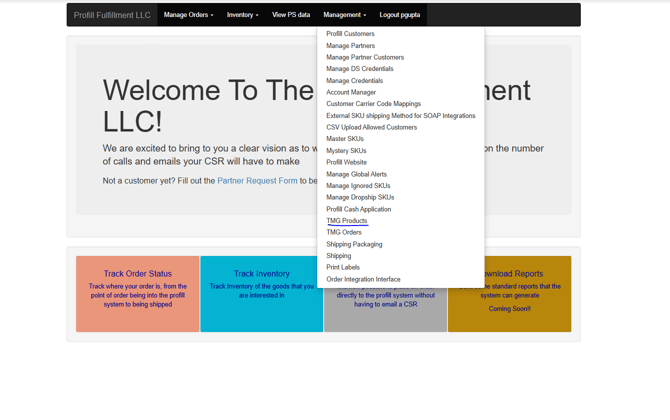
Steps to create a product
- Select Create
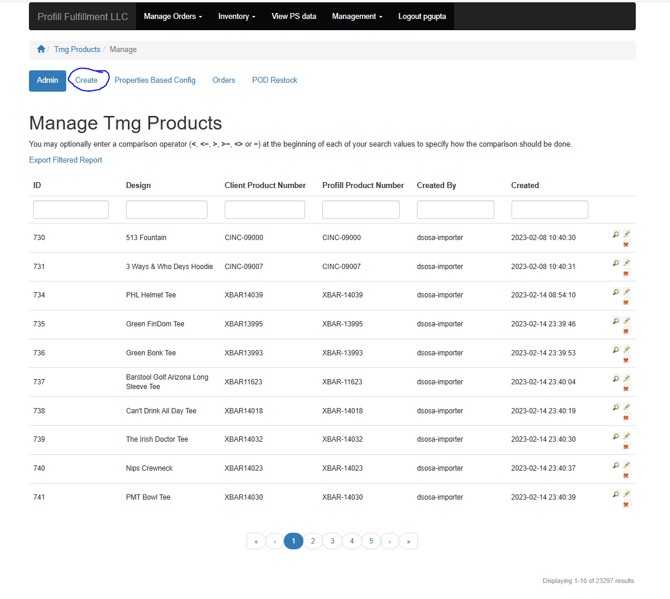
- Enter the following information in the form
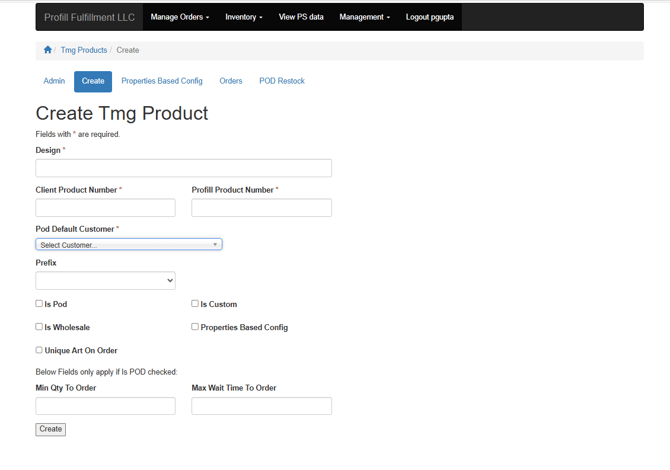
- Product title in 'Design'
- Client Product SKU in 'Client Product Number'
- Profill Product SKU in 'Profill Product Number'
- Customer who will be billed for the product in 'POD default Customer'
- Customer prefix or base of the SKU in 'Prefix'
- Check 'POD' if it is a POD item
- Add 'Min Qty to order:' as 0, 'Max wait time to order:' as 0
- Click 'Create'
- Click ' POD Vendor/Configuration'
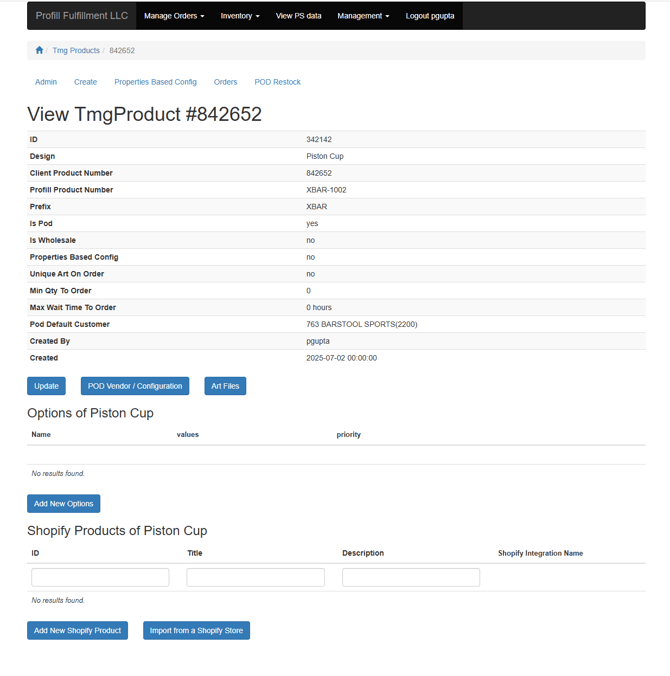
- Fill the details in 'Set default vendor configuration for'
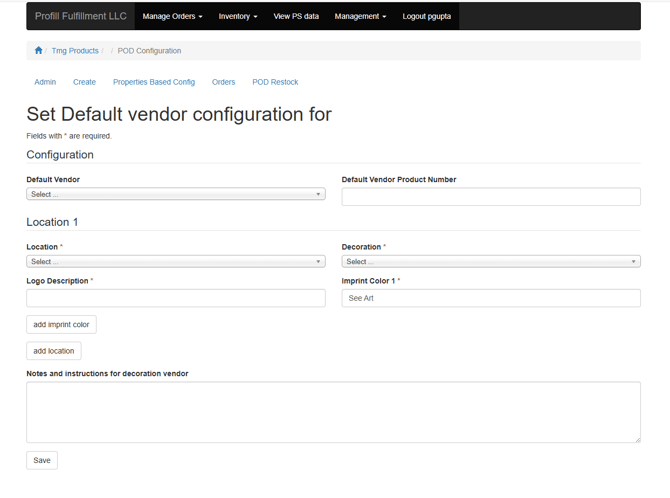
- HIT PROMOTIONAL PRODUCTS (910500) in 'Default Vendor'
- Default Vendor Product Number
- Location - Imprint location from available locations
- Decoration - silkscreen for most tees and hoodies, heat transfer for hats
- Logo Description - art file name for specific location
- Imprint Color
- Add any additional locations and fill in all blanks listed above
- Click Save