
- Click on the ‘Partner Request form’ link
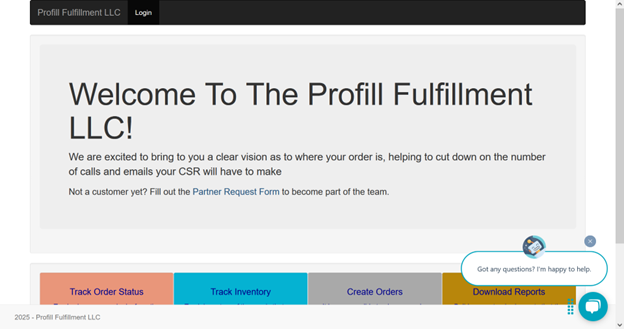
- You’ll land on the ‘Customer form'. Enter the required details and click submit
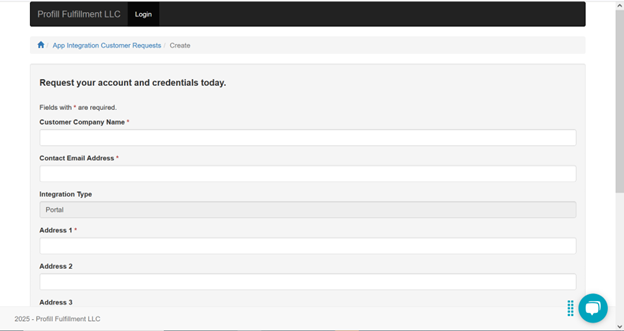
- The request will reach an Account manager at Profill and after a review and approval your account will be created
- Post this the account manager assigned will contact you and provide you with your username and password.
- You can go to Link to Profill Portal and login
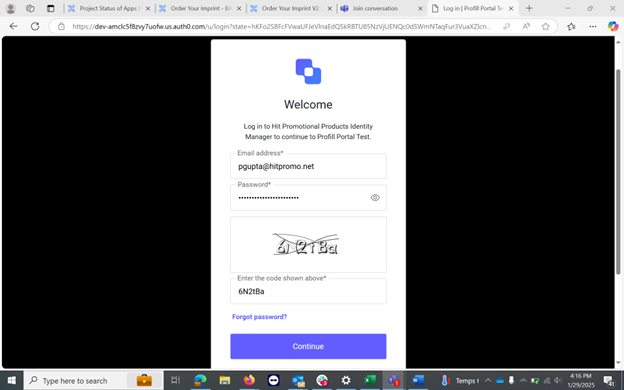
- You can choose to change your password by clicking the ‘forgot password’ link.