
Portal Login Setup
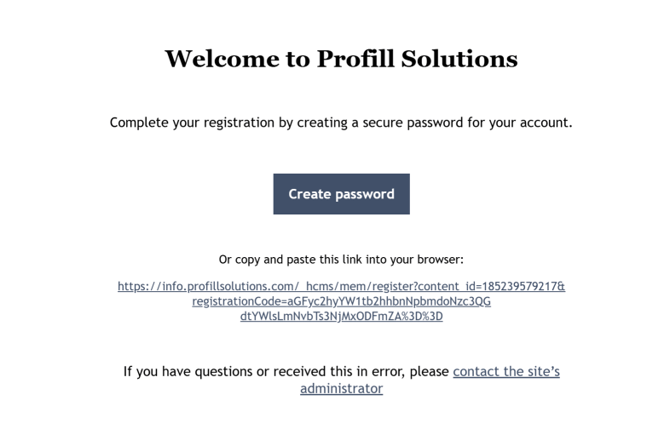
You will receive an email from Profill, with a link to create your password.- Open the email and click on the link provided.
- Set a secure password of your choice.
- Once the password is set, go to the login page and log in using your email and newly
- created password
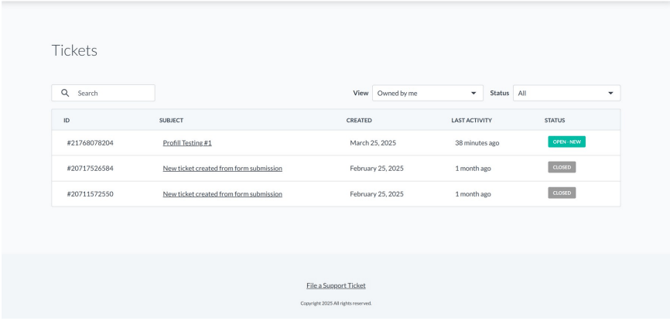
After logging in, you will land on the Dashboard. Here you can:
- View all your submitted tickets
- Track the status of each ticket
- Use the Organization filter to view tickets submitted by other users in your organization
Resetting Your Password
To reset your password:
- Raise a ticket requesting a password reset
- You’ll receive a password reset link via email
- Click the link and enter your new password
- Confirm the new password to complete the reset
Important:
- Check your Spam/Junk folder if you don’t receive the email.
- If your organization uses tools like Mimecast, make sure to release the email manually.